





















WMS in SaaS or On-Premise: The 2026 guide to making the right strategic choice
News
WMS software
Logistics
Supply Chain
October 22, 2025
Your warehouse is the beating heart of your supply chain.
But that heart is starting to show signs of fatigue. Your once-sufficient ERP can no longer keep up. Inventory management has become a headache, order preparation is riddled with errors, and your logistics flows are stretched to the limit.
As you know, the time has come to adopt a WMS (Warehouse Management System) software.
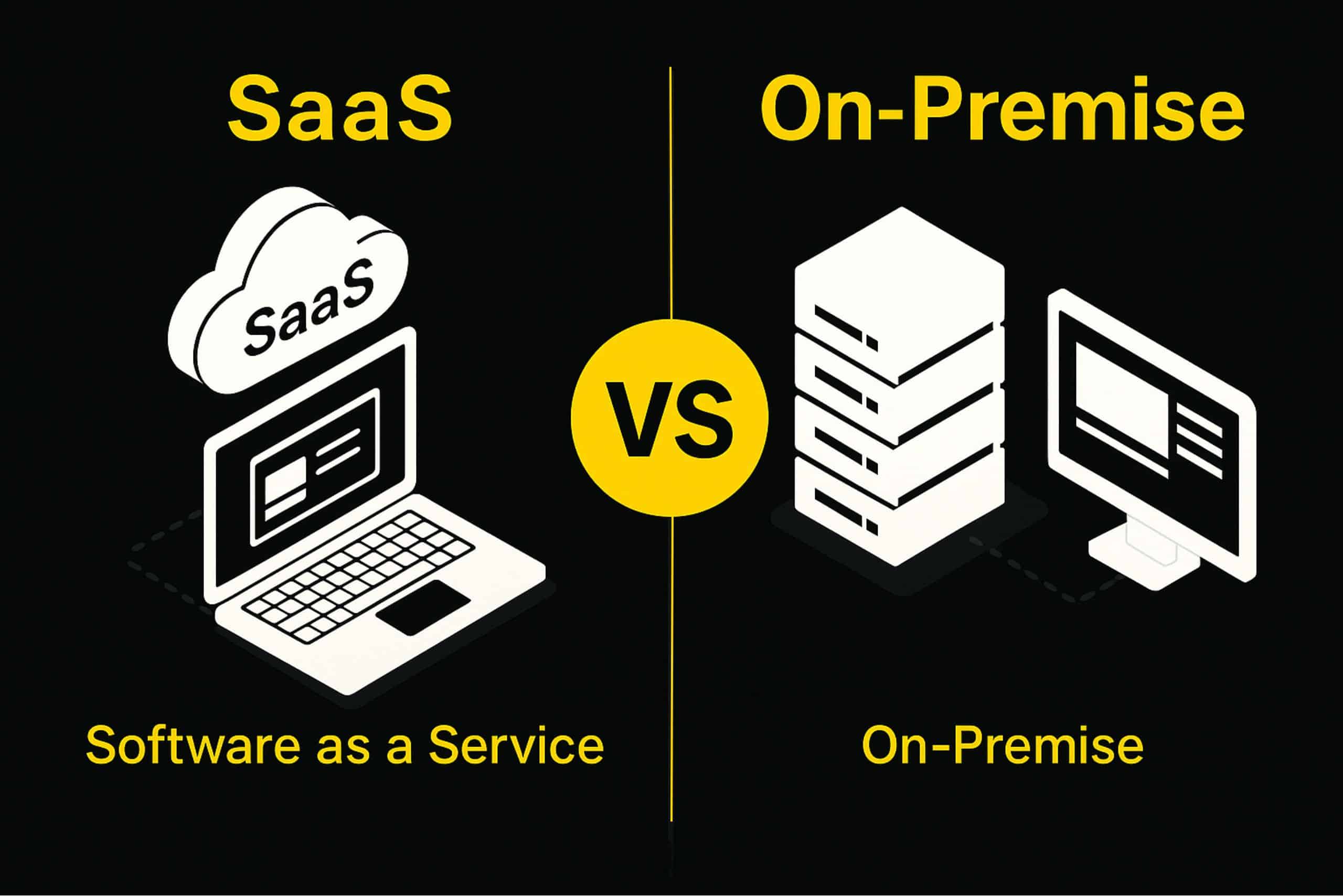
But no sooner has this decision been made than a question arises, and it's not just any question. A question that will define your agility, your costs, and your security for the next decade: should you opt for a traditional " On-Premise " (on-site) deployment or switch to a SaaS ( Software-as-a-Service) ?
This is not a simple technical choice reserved for your IT department.
This is a truly strategic decision. It will directly impact your ability to manage peak activity, adapt to new market demands, and build the warehouse of the future.
In 2026, you owe it to yourself to make the right choice.
This comprehensive guide will break down every aspect of these solutions for you. We won't just list pros and cons; we'll give you the tools to build your WMS specifications and choose the model that will truly your performance.
Understanding the Two Models: The On-Premise vs. SaaS Duel
Before diving into costs and technique, let's clarify the rules of the game. What fundamentally differentiates these two approaches?
The On-Premise model: The “traditional” WMS in license acquisition
The On-Premise model is the historical approach.
Here, you purchase a license to use the warehouse management software. This software is "owned" by you (although the rights are often limited).
But the important point is this: this WMS software is installed directly on your servers, on your premises.
The result? You are 100% in control.
But you are also 100% responsible.
It is your company's responsibility to purchase, configure, and maintain the necessary hardware infrastructure (servers). Your internal IT team is responsible for system maintenance, updates, backups, and security.
The control is total, but so is the load.
The SaaS model: WMS as a Service
SaaS (Software-as-a-Service) is a cloud-based SaaS logistics solution.
Think of it like your Office 365 or Google Workspace subscription, but applied to warehouse logistics.
Here, you are not buying a license. You are subscribing to a service (usually monthly or annual) which gives you access to the WMS platform.
The SaaS WMS solution provider (like Sitaci) handles all the technical aspects. The software is hosted on their secure servers. They manage the infrastructure, system availability, backups, maintenance, and, crucially, all updates.
You do not need to install any additional computer hardware. You access your Warehouse Management System via a simple web browser, wherever you are.
You're not buying a product; you're buying access to a complete, scalable service.
TCO (Total Cost of Ownership) Comparative Analysis: Initial Costs vs. Recurring Costs
Money is the lifeblood of any business. But beware of preconceived notions. The price of WMS software is not just about the label.
To make a strategic choice, you need to analyze the Total Cost of Ownership (TCO).
The cost of On-Premise: The initial investment (CapEx)
The On-Premise model is a capital expenditure, or CapEx (Capital Expenditure).
What's in this departure invoice?
- Purchasing the license : This is the main cost to acquire the right to use the software.
- Hardware infrastructure : You need to purchase (or dedicate) powerful servers, databases, and network infrastructure.
- Installation and integration : On-site deployment is a complex project that requires internal IT resources or external consultants.
- Initial customization : If you need specific developments, the cost skyrockets.
But the trap is to believe that it's a one-time expense. This is false.
The “hidden costs” of On-Premise are real:
- Dedicated IT staff : You will need a team (or part of a team) to keep the system operational, manage outages and fixes.
- Maintenance contracts : The publisher will charge you an annual support contract (often 15-20% of the license price) to have access to support and patches.
- Future updates : When the publisher releases a new major version in 3 or 5 years, it will be a new, costly and complex projectto plan and pay for.
The Cost of SaaS: Operational Expense (OpEx)
SaaS WMS software radically transforms the financial model. It is an operating expense, or OpEx (Operational Expenditure).
The immediate financial advantage? A much lower entry threshold .
You don't buy any hardware. You don't buy any licenses. The initial investment is minimal, often reduced to setup and training costs.
You pay a predictable subscription (monthly or annual). This subscription includes :
- The right to use the WMS software.
- Hosting on a high-performance cloud infrastructure.
- Technical support and maintenance.
- Security, backups and availability guarantee.
- All future updates, whether minor (fixes) or major (new features).
This model preserves your cash flow and offers a faster return on investment (ROI).
The only objection? It's a recurring, lifetime. Over a period of 10 or 15 years, some will say that the total subscription fees could exceed the cost of a license.
However, this comparison is only valid if we " omit" the real costs of on-premises solutions: the salaries of the dedicated IT team, server replacements every 5 years, and migration/upgrade projects. An honest TCO analysis shows that SaaS is often more advantageous, even in the long term.
TCO Checklist: How to assess your real costs?
To see this clearly, take your WMS specifications and set the costs below over 5 years:
For On-Premise:
- Cost of purchasing the license (all users): €______
- Cost of purchasing servers and infrastructure: €______
- Installation and integration cost (internal/external): ______ €
- Annual cost of maintenance/support contract (x5): €______
- Estimated cost of dedicated IT staff (x5): €______
- Estimated cost of a major hardware/software update (provision): €______
- TCO over 5 years (On-Premise): ______ €
For SaaS:
- Initial setup and training costs: €______
- Cost of monthly or annual subscription (x5): ______ €
- TCO over 5 years (SaaS): ______ €
The difference will surely surprise you.
Flexibility, Scalability and Updates: Adapt or Disappear
Your supply chain isn't static. You manage seasons, promotions, and product launches. Can your warehouse management system keep up?
Scalability: Managing growth and peaks in activity
This is perhaps the biggest advantage of SaaS.
Does your business experience strong seasonal fluctuations? Are you hiring 30 additional order pickers for the end-of-year peak periods ?
With SaaS WMS software, this is not a problem.
Scalability is elastic. You contact your provider and increase your number of licenses for two months. Then you reduce it. You only pay for what you use. Cloud resources adapt instantly.
It is the ideal solution for growing or highly seasonal businesses.
Now imagine the same scenario with an On-Premise WMS.
Your 30 additional users? They'll saturate your servers. Your WMS will slow down, or even crash, during peak periods. To add them, you'll need to purchase new licenses (if possible) and, worse, potentially order and install new servers.
By the time the equipment arrives, your peak business is over.
With on-premises solutions, scalability is limited, expensive, and slow. You have to size your infrastructure for your peak demand , which means it's underutilized for 10 months of the year.
Updates: Staying at the forefront of logistics innovation
The warehouse of the future is being invented today. New WMS functionalities, new optimization algorithms, new integrations…
With a SaaS WMS solution, you are always up to date.
Updates are continuous, automatic, and included in your subscription. The publisher improves its WMS platform, and you benefit from them instantly, often without even a service interruption. You always have the latest optimization tools and security patches.
It's a rapid innovation cycle.
With on-premises solutions, it's the opposite. You purchased your license in 2024. By 2026, it's already outdated. To obtain the new version, you have to pay for and plan a large, complex, and risky migration project, which often requires scheduled service interruptions (on weekends, at night).
Many companies, out of fear or lack of budget, are putting off these updates.
The result? They find themselves using outdated, buggy, and security-vulnerable inventory management software
Deployment and Accessibility: Speed to Market
Yes, speed matters. To deny it would be to lie to oneself. Ultimately, deployment time is a competitive advantage.
SaaS: Deployment is fast. We're talking weeks, sometimes days. Why? Because there's no hardware infrastructure to buy, install, or configure. Everything is already set up in the cloud.
On-Premise: Deployment is slow. You have to go through the entire cycle of purchasing, delivering, installing, and configuring the servers. This takes months.
And access?
A SaaS WMS solution is accessible 24/7from any device (PC, tablet, terminal) with an internet connection. It's ideal for managing multiple warehouses, for remote work by logistics managers, or for providing secure access to 3PL partners.
On-premise WMS, on the other hand, is only accessible from the workstations within your company on which it has been installed. It is a rigid and closed model.
Data Security and Sovereignty: Decisive Criteria in the Cloud Age
This is often THE major dilemma. "I don't want my sensitive logistics data in the cloud."
This is a legitimate concern. However, let's look at the facts.
The On-Premise Argument: Absolute Control (and Absolute Responsibility)
With On-Premise, it's simple: your data is at home, on your servers, behind your firewall.
You have 100% control over your information.
This seems more secure. But this total control comes with responsibility .
The security of your data depends solely on the competence of your IT team. Have they properly applied the latest security patches? Is your firewall up to date? Are your backup procedures foolproof?
Most security breaches do not come from the cloud, but from poorly maintained on-premise infrastructure.
The SaaS argument: Shared security managed by experts
Entrusting your data to a third party (the SaaS provider) can be daunting. Compliance issues (GDPR, etc.) arise.
However, for a SaaS WMS solution provider, security is also part of its business.
These companies host their solutions in ultra-secure data centers, which benefit from physical and logical protections (encryption, redundancy, next-generation firewalls) that 99% of SMEs and mid-sized companies could never afford.
The provider is contractually responsible for security, system availability, and backups. Paradoxically, your data is often better protected with a major SaaS provider than on an old server in your local server room.
The key? Due diligence. Before signing, you must verify the guarantees provided by your supplier:
- Where is the data hosted (sovereignty)?
- What are its security certifications?
- How is GDPR compliance ensured?
Personalization (On-Premise) vs. Configuration (SaaS)
Here, the historical advantage leans towards On-Premise.
With on-premises WMS software, you (in theory) have access to the code. You can request customizations and bespoke developments to fit a unique business process.
SaaS, being a shared platform, is inherently less customizable. You cannot change the core of the software.
But beware of the illusion.
- The cost of on-premise customization is exorbitant.
- It "locks" you in : each customization will make future updates to your WMS even more complex, expensive, or even impossible.
By 2026, the debate had changed. Modern SaaS WMS solutions are no longer rigid. They have become extremely configurable.
You don't need to "customize" (change the code) when you can "configure" (adjust the thousands of parameters) so the software adapts to your goods receiving, picking , or warehouse management workflows. WMS solutions are designed to be 100% customizable through configuration to suit your needs.
Beyond Deployment: The Impact on Your Logistics Operations
Choosing SaaS vs. On-Premise isn't just a TCO or IT decision. It has a direct impact on the warehouse floor.
Optimize logistics flow management and traceability
Logistics traceability is at the heart of any WMS. Whether you're tracking a batch, a serial number, or a pallet, you need total visibility.
Both models offer it.
The advantage of SaaS? This real-time traceability is accessible everywhere. A manager can check a status from their phone. Customer service can see the progress of an order. Data is no longer confined to the warehouse.
This streamlines the management of logistics flows by connecting the warehouse to the rest of the company (sales service, purchasing, management).
The performance of picking, packing and order preparation
Your WMS is there to optimize productivity. It must manage the reception of goods, optimize picking paths, manage packing (conditioning), and orchestrate order preparation.
An On-Premise WMS, purchased 5 years ago, uses optimization algorithms… from 5 years ago.
A SaaS WMS, thanks to its continuous updates, constantly benefits from the latest route optimization algorithms, new picking methods, or easier integrations with warehouse automation (conveyors, sorters, robots).
You're not just paying for software; you're paying for logistics performance that's continually improving.
Final Checklist: Which WMS Model is Right for You?
The time has come to choose. To help you finalize your WMS specifications, here is the typical profile for each solution.
Be honest. Where do you stand?
You should consider an On-Premise WMS SI…
- You have a substantial, expert in server maintenance and cybersecurity.
- You have a very large initial CapEx (investment) budget available immediately.
- You have customization needs (specific development) that are so unique and complex that no configurable WMS can meet them.
- You operate in a sector (Defense, Nuclear…) with regulations that prohibit any external data hosting, even certified.
- Your business is extremely stable, with no expected growth and no marked seasonality.
You should favor a WMS in SaaS SI…
- Your internal IT resources are limited and you prefer them to focus on value-added projects rather than maintenance.
- You prefer a predictable and controlled operational cost (OpEx) rather than a heavy initial investment (CapEx).
- Your business is experiencing rapid growth, peaks in activity, or strong seasonality.
- You need to deploy a WMS solution quickly.
- Your teams (managers, logisticians) need to access the WMS from different locations (multi-site, teleworking).
- You want to ensure that your warehouse management software is always up-to-date, efficient and secure, without managing migration projects.
- You want a WMS solution that integrates easily with your ecosystem (ERP, TMS, e-commerce).
For the vast majority of distribution and manufacturing operations in 2026, the SaaS logistics solution model has become the preferred choice.
Agility as a strategic choice
The SaaS vs. On-Premise debate isn't just a technical one. It's a choice of business philosophy.
The On-Premise model represents control. Total control that comes with a high total cost of ownership, overwhelming responsibility, and rigidity that can become a handicap in a supply chain.
The SaaS model represents agility. It's a strategic choice that prioritizes flexibility, scalability, continuous innovation, and a predictable TCO. It's the choice to free oneself from technical constraints to focus on one's core business: logistics performance.
The warehouse of the future will be agile, connected, and data-driven. Your WMS platform must be the engine of this transformation, not a legacy obstacle.
Your logistics flows don't wait. Neither does your performance.
FAQ: Everything you need to know about SaaS and On-Premise solutions
What is the difference between On-Premise WMS software and SaaS WMS software?
In on-premise mode, the software is installed on the company's servers, the license is purchased, and the company manages the infrastructure. In SaaS mode, the software is hosted by the provider, accessible by subscription, without initial hardware investment.
Is a SaaS WMS less secure than an On-Premise WMS?
Not necessarily, and it's often the opposite. An on-premises WMS may seem more secure because the data is on your premises, but you are 100% responsible for its security. Specialized SaaS providers invest heavily in security (certified data centers, encryption, experts) at a level that few companies can match.
Is the TCO (Total Cost of Ownership) of a SaaS WMS really lower?
The initial cost is drastically lower (OpEx vs. CapEx). Over the very long term (10-15 years), the cumulative cost of subscriptions may seem high. However, a complete TCO analysis for on-premises deployments must include the salaries of dedicated IT staff, the costs of replacing hardware every 5 years, and expensive upgrade projects. By including all these costs, SaaS very often proves to be more advantageous.
Can you customize SaaS WMS software?
A distinction must be made between customization (changing the code, which is very limited in SaaS) and configuration (adjusting the parameters). SaaS solutions are extremely configurable and can adapt to almost all business processes (warehouse management, picking, etc.) without specific development.
When should you choose an on-premise model for a WMS?
When you have strong requirements: strict data localization, minimized latency in an automated warehouse, extreme customization, already available IT infrastructure, or highly regulated sector.
How does SaaS handle peak activity and seasonality?
This is one of its greatest strengths. SaaS is elastic. You can easily increase your number of users (licenses) during your peak season and then reduce it afterward. You only pay for what you need. This is very complex and expensive to do with an on-premises WMS.
How long does it take to deploy a SaaS WMS?
Much faster than an on-premise WMS. Since there is no hardware infrastructure to purchase, deliver, and install, a SaaS deployment can be completed in a few weeks, compared to several months for an on-premise project.