




















Successfully integrating ERP-WMS: Key steps and pitfalls to avoid for 3PLs and shippers
WMS software
Logistics
Supply Chain
April 24, 2026
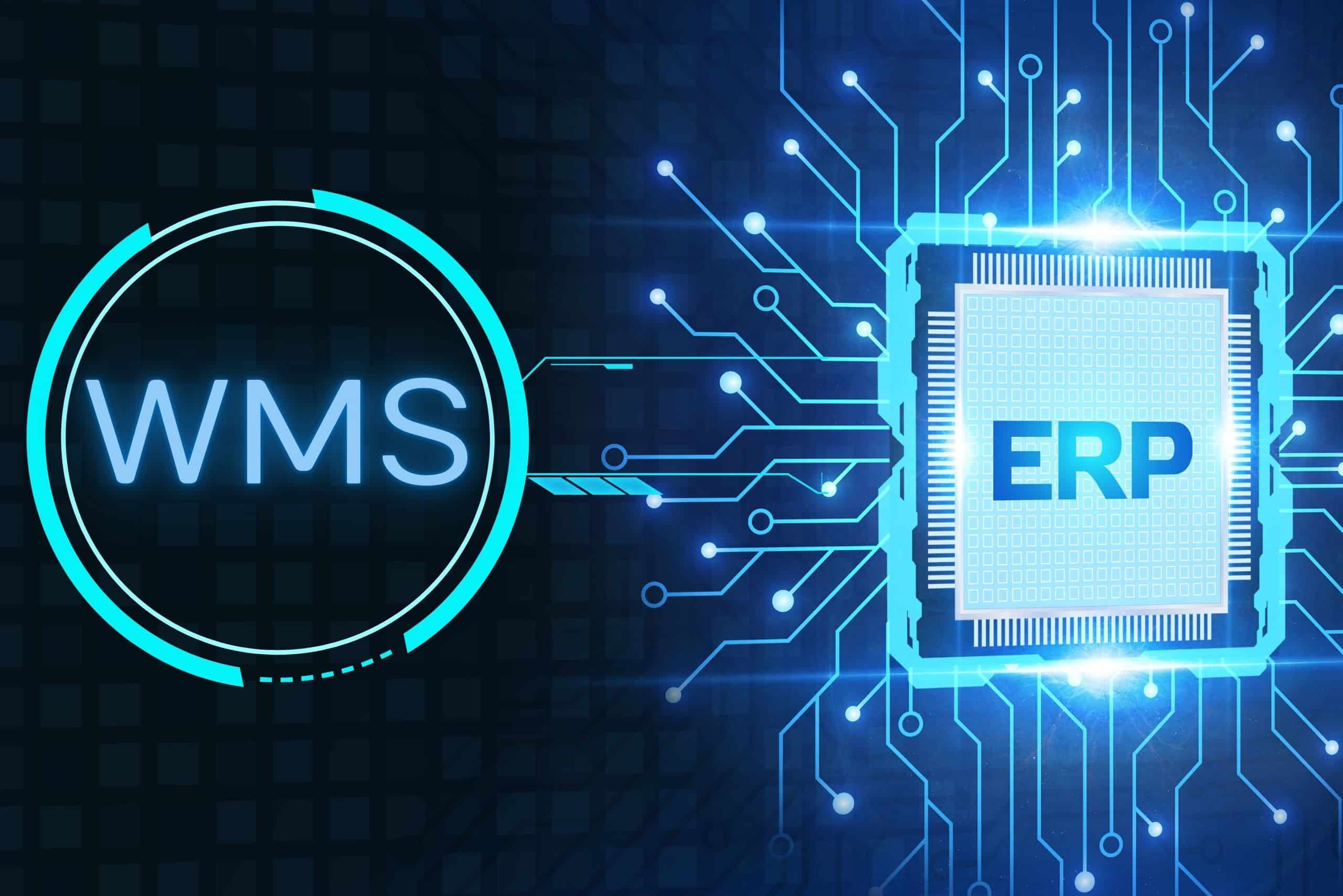
Integrating your ERP and WMS is a strategic undertaking because it directly impacts your logistics performance. A seamless connection between these two tools typically reduces delivery times by 20% and increases productivity by 15%.
These are impressive figures, and they are the result of good preparation.
- ERP and WMS do not do the same job. One manages the company, the other manages the warehouse.
- The data flows between the two systems must be accurately mapped before any technical configuration.
- The most costly deployment errors are rarely technical. They are organizational.
A failed go-live can paralyze an operation for several days. The cutover methodology makes all the difference.
You have an ERP system.
It runs, it manages your purchases, your invoicing, your accounting. Maybe even your inventory — at least, in theory.
Then comes the moment when the warehouse grows. Volumes increase. Oh, and picking errors too. Inventories become marathons. And your ERP, however well configured, is no longer enough to keep up.
In short, your trusty ERP has reached its limits and that's exactly when the Warehouse Management System (WMS) comes into play.
But be warned: connecting a WMS solution to your existing ERP is not a simple matter of "plugging it in". It's a full-fledged integration project, with its own data flows, dependencies, and... risks of operational disruption.
How can you ensure that these two giants communicate smoothly? What mistakes could bring your operation to a standstill?
Let's get down to brass tacks with a field perspective.
ERP and WMS: Two complementary tools, not interchangeable
Before we talk about integration, let's first clarify something that many decision-makers still confuse.
The "Master-Slave" hierarchy: Who commands what?
Successful integration is based on a golden rule: each piece of data must have only one master.
What an ERP actually does
- The ERP (Enterprise Resource Planning) system is the master of your company's financial and commercial data: financial flows, purchases, customer and supplier relationships, human resources… It provides a comprehensive and consolidated view of the business.
On the logistics side, it handles orders, theoretical stock levels, and accounting entries and exits.
But here's the rub: the ERP system thinks in terms of quantities. It knows you have 500 units of item Y in stock. It doesn't know where they are in the warehouse, what condition they're in, which pallet they're on, or in what order they should be picked to optimize movement.
What a WMS actually does
- Warehouse management software is the master of execution: slotting, picking, stock movements, goods receipt, cross-docking … It holds the physical truth of your warehouse.
In other words, where ERP sees command lines, WMS sees boxes, locations, operators, missions, flows.
Why are both essential?
In most cases (though exceptions exist), neither can replace the other. An ERP without a WMS provides a financial view of inventory without physical control. A WMS without an ERP offers optimized operations but disconnects them from sales and financial flows.
It is their integration that creates value. And it is precisely this project that deserves your full attention.
Data architecture: Define critical flows first
Yes, we won't hide it from you, this is the foundation of your project. Rush this step and you'll pay a heavy price when you go live.
Mapping the exchanges: Who sends what to whom?
Data exchange between your ERP and WMS solutions is bidirectional and continuous. Take the time to map this exchange precisely before delving into any technical configuration.
From ERP to WMS:
- Customer orders (picking orders)
- Purchase orders (expected receipts)
- Product reference data (SKU, dimensions, weight, storage conditions)
- Customer and supplier data
- Management rules (FIFO, FEFO, LIFO depending on the product)
From WMS to ERP:
- Confirmations of receipt (actual quantities received)
- Shipping confirmations (orders fulfilled)
- Stock movements (adjustments, breakages, returns)
- Inventory results
- Traceability data (batch numbers, expiry dates)
Each flow must be documented: data format, exchange frequency, trigger (event or batch), associated business rules.
Choosing the right integration method
Three technical approaches coexist. The choice depends on your existing architecture and volumes.
- API integration: Exchanges are in real time, errors are reported immediately, and maintainability is better.
- Integration via flat files (EDI, CSV, XML): An older method, still very widespread, particularly with legacy ERP systems. Data exchange is done in batch mode (every X minutes or hours), which creates delays.
- Shared databases: To be avoided whenever possible. Tight coupling, complex maintenance, risk of data overwriting on both sides.
Reference frameworks: The most underestimated topic
Before any orders are processed, your product repositories must be synchronized and cleaned.
This is where the most insidious traps lurk. SKU codes that don't match between the two systems. Inconsistent units of measurement. Duplicate items with different descriptions… In short, it's time for a major cleanup.
Dedicate time to this audit. It's thankless, not very visible, but it's what determines whether your operators will receive consistent assignments on the day.
- Map all points of contact between the ERP and the WMS
- Define the exchange format (XML, EDI, API)
- Confirm the synchronization frequency
- Audit and clean the article repositories
- Harmonize SKU codes between the two systems
- Document the priority rules in case of data conflicts
- Provide a "degraded" mode in case of a connection failure.
What are the classic mistakes that paralyze operations (and how to avoid them)?
We've supported and observed enough projects to know where things go wrong. Here are the most frequent — and most costly — mistakes.
Mistake #1: Thinking that integration is an "IT-only" issue
This is mistake number one. The project is entrusted to the IT teams, warehouse managers and logistics directors are consulted late, and it is discovered during the acceptance testing phase that the configured workflows do not correspond to the actual processes on the ground.
The result : emergency reconfigurations, delays, and additional costs.
The golden rule: ERP-WMS integration is as much a business project as a technical one. The warehouse manager must be involved from the initial scoping phase. Their processes define the management rules, not the other way around.
Mistake #2: Neglecting initial inventory management
At go-live time, your WMS must know the exact state of your physical inventory: locations, quantities, batches, dates, and status (available, reserved, quality blocked). If you import incorrect or incomplete data from your ERP, your WMS will start with shaky foundations.
Take the time to conduct a complete inventory before the switchover. Not just in terms of quantity — in terms of location, batch, and condition.
Mistake #3: Underestimating operator training
A WMS (Warehouse Management System) profoundly changes work habits. Indeed, it represents a real shift for those who previously worked with paper or informal practices. Installing a state-of-the-art SaaS warehouse management solution withgenerative AI or predictive logic is pointless if your forklift operators don't know how to use their terminals.
Rejection of the tool is the primary factor in failure.
Without proper training, mistakes accumulate, confidence in the system collapses, and eventually we hear the dreaded phrase: "things were better before."
Don't forget, humans must remain at the heart of warehouse automation.
Error #4: Ignoring exception handling
Normal workflows always function well in the revenue department. It is the exceptional cases that reveal the flaws: a delivery with a quantity discrepancy, an urgent order outside of usual time slots, a customer return with a damaged item.
Every exceptional case must be documented and tested before go-live. Ask your field teams to list the "weird situations" they regularly handle. You'll learn a lot.
Mistake #5: Switching gears too quickly, without a safety net
We'll talk about that in a moment, but to anticipate: the "big bang" go-live—where the old system is shut down overnight—is the riskiest scenario. Yet, it's the one many choose for the sake of simplicity.
There are alternatives. We'll detail them shortly.
- Include the warehouse manager and team leaders from the project scoping stage
- Conduct a complete physical inventory before the switchover
- Map out exceptional cases and integrate them into test scenarios
- Plan operator training
- Define a "reverse" procedure in case of a critical blockage
- Test the error flows (receipts with discrepancies, returns, cancellations)
- Involve key suppliers and carriers in the tests if necessary
Plan for enhanced support during the first two weeks post-go-live
Testing and failover methodology: How to guarantee service continuity during "Go-live"?
The transition to production is the moment of truth. You don't "test in production." Never. Especially not when you're managing the final stretch and every minute of delay is costly.
The "Recipe" phase: Simulating real life
Don't just test if the file passes. Test complex scenarios:
- What happens if I modify an order in the ERP while it is already being picked in the WMS?
- How does the system react during a rolling inventory performed in the middle of preparation?
- Does dynamic slotting ( slotting link) work correctly after importing new references?
To do this, keep in mind that the recipe phase must cover 3 levels.
- Unit tests
Each data flow is tested individually: an order is sent from the ERP to the WMS, a receipt is confirmed and sent back to the ERP, and an inventory adjustment is correctly applied on both sides. We verify that the data arrives in the correct format, in the correct field, without any loss.
- End-to-end testing
We simulate a complete cycle: order entry in the ERP → transmission to the WMS → preparation → dispatch → confirmation return to the ERP → stock update.
The objective : to verify that the entire chain functions without breakage.
- Load and performance tests
Simulate your peak activity periods. If your operation handles 500 orders per day during normal periods and 2,000 during peak periods, test with 2,000. Performance problems often only appear under real-world load conditions.
The Digital Twin and Simulation
Using digital twins now makes it possible to simulate flows before even sending the first operator into the field. This allows for the identification of bottlenecks, especially if your warehouse is mechanized and/or automated (conveyors, AGV robots, AMR robots).
the 3 switching strategies
Option 1: The "Big Bang"
The old system is shut down and the new one is started on the same day. Very simple to organize, but extremely risky. Only suitable for very stable environments, with a moderate operational volume and a highly prepared team.
Option 2: Gradual switchover by site or by flow
The WMS is initially implemented on a limited scale (a warehouse, a product family, a customer) and then expanded gradually. This is the recommended approach for 3PLs managing multiple customers or sites. It allows them to address issues within a smaller scope before scaling up more broadly.
Option 3: The temporary parallel
The two systems run in parallel for a defined period (1 to 4 weeks). The results are compared, consistency is verified, and then the old system is shut down. Resource-intensive, but provides maximum safety. Recommended for critical environments or very high volumes.
D-Day: Operational Organization
48 hours in advance:
- Freeze on non-urgent stock movements
- Inventory control to synchronize WMS positions with physical reality
- Briefing of all teams (dock, preparation, reception, management), as well as external stakeholders (customers, suppliers, partners)
- Access control, terminals, label printers
D-Day:
- Increased on-site presence of WMS and ERP project managers
- Publisher support emergency number activated
- Hourly tracking of initial flows (first receipts, first shipments)
- Real-time dashboard on critical indicators (error rate, processing time)
Week 1 post go-live:
- Daily debriefing meeting
- Priority processing of any blocking anomaly
- Real-time parameter adjustments if necessary
WMS EGO and ERP integration: What does SITACI offer?
At SITACI, we built the EGO WMS based on a simple observation: a WMS that does not easily integrate with the client's existing ERP is a WMS that creates more problems than it solves.
This is why the EGO WMS natively includes:
- Interface management for environments that still operate using swap files. These interfaces are unique in their ability to handle a large number of file types and formats, as well as manage significant data volumes
- A configurable data mapping engine to adapt to the data structures of your ERP (SAP, Sage, Cegid, Dynamics, Infor, Oracle…)
- A dedicated test environment to test integrations without impacting production
- An integration dashboard allowing real-time monitoring of exchanges between the two systems
As a SaaS solution, the EGO WMS is designed for rapid deployment, transparent updates, and scalability via modules to support emerging technologies: mobile robots, warehouse automation, warehouse mechanization, multi-site, multi-client, multi-carrier flows.
And because we know that integration is not just about the technical side, our dedicated teams support each project on the organizational side: auditing and mapping of flows, training of teams, post-go-live follow-up.
EGO, much more than warehouse management software
Discover the world of our EGO WMS platform for optimized, controlled, and automated workflows

ERP + WMS + TMS: The winning trio of 3PL
We often talk about the ERP-WMS pairing. But particularly for 3PLs and logistics operators who also manage distribution, a third player is involved: the TMS (Transport Management System).
TMS software manages what WMS does not cover: route planning, last mile optimization, delivery slot management, carrier tracking, and transport billing.
In an integrated ecosystem:
- The ERP system issues orders and consolidates financial data
- The WMS orchestrates the physical preparation and shipment
- The logistics TMS plans and optimizes the delivery process
The end-to-end supply chain is only valuable if these three levels communicate in real time. A WMS that confirms a shipment must instantly feed the TMS to trigger transport planning — and update the status in the ERP for invoicing.
This is the level of integration that the most mature logistics departments are now seeking to achieve. And it is in this direction, increasingly driven by AI, that the WMS solutions market is resolutely heading.
Make your logistics a growth engine
Successfully integrating your ERP and WMS is a balancing act between IT rigor and sound logistical sense.
It's a question of method. Of rigor during flow mapping. Of involving field teams from the outset. Of choosing the right software vendor, a true technical partner, who understands the realities of logistics operations.
In truth, successful companies are those that have taken the time to lay the foundations properly, anticipate exceptional cases, and train their teams on a new work tool.
Thus, a well-integrated WMS is:
- Reliable, real-time inventory on both sides of the system
- Faster preparation and fewer picking errors
- Complete traceability of every movement
- An operation that can absorb peak activity without chaos
- Finally, consistent decision-making data between logistics and management
Need to take your ERP-WMS integration project further? Schedule a meeting with our teams.
We will explain in concrete terms how it all works, and we will answer your questions without unnecessary jargon.
FAQ: Everything you need to know about ERP-WMS integration
What is the difference between an ERP and a WMS?
The ERP manages all of the company's resources (finance, purchasing, sales, HR) with a theoretical inventory view. The WMS manages the physical operation of the warehouse: locations, picking tasks, traceability, and receiving and shipping flows. One processes management data, the other controls physical operations.
Can we do without a WMS if we already have an ERP?
For simple warehouses with few SKUs and low movement volumes, a WMS module integrated into the ERP may suffice. However, as soon as volumes increase and complexity grows (multiple clients, batch management, detailed traceability, automation), a dedicated WMS becomes essential. The WMS modules of general-purpose ERPs quickly reach their operational limitations.
Conversely, can a WMS be used without an ERP?
Technically yes, especially for small warehouses or pure players. However, as soon as the business requires analytical accounting, complex purchasing management, or multi-channel operations, the ERP-WMS duo becomes essential for data consistency.
How long does an ERP-WMS integration project take?
Depending on the complexity of the environment, an ERP-WMS integration project typically takes 3 to 9 months. A simple environment (one site, a standard ERP, limited workflows) can be operational in 3 months. A complex environment (multiple sites, multiple clients, custom ERP, automation) usually requires 6 to 12 months. The most critical phase remains defining the specifications and conducting interface testing.
What is the cost of an ERP-WMS integration?
Costs vary considerably depending on the scope and existing systems. A key component is the cost of the WMS itself (on-premise or SaaS), the cost of integration development, and the cost of change management support. A SaaS WMS solution significantly reduces infrastructure costs and accelerates deployment times. For a detailed proposal tailored to your specific needs, please contact our team.
Is the EGO WMS compatible with my ERP?
The EGO WMS features native connectors for the leading ERP systems on the market (SAP, Sage, Cegid, Microsoft Dynamics, Oracle, Infor, etc.). Contact our team for a compatibility analysis with your specific environment.
Should a business interruption be anticipated during the WMS switchover?
In most cases, the interruption can be limited to a few hours outside of operating hours (night, weekend). Proper preparation, including freezing movements and conducting a preliminary inventory check, minimizes the impact on operations. In some well-prepared projects, the switchover occurs without any noticeable service interruption for operators.